All-in-One B2B Workforce SaaS Platform for Streamlined Business Operations
Details
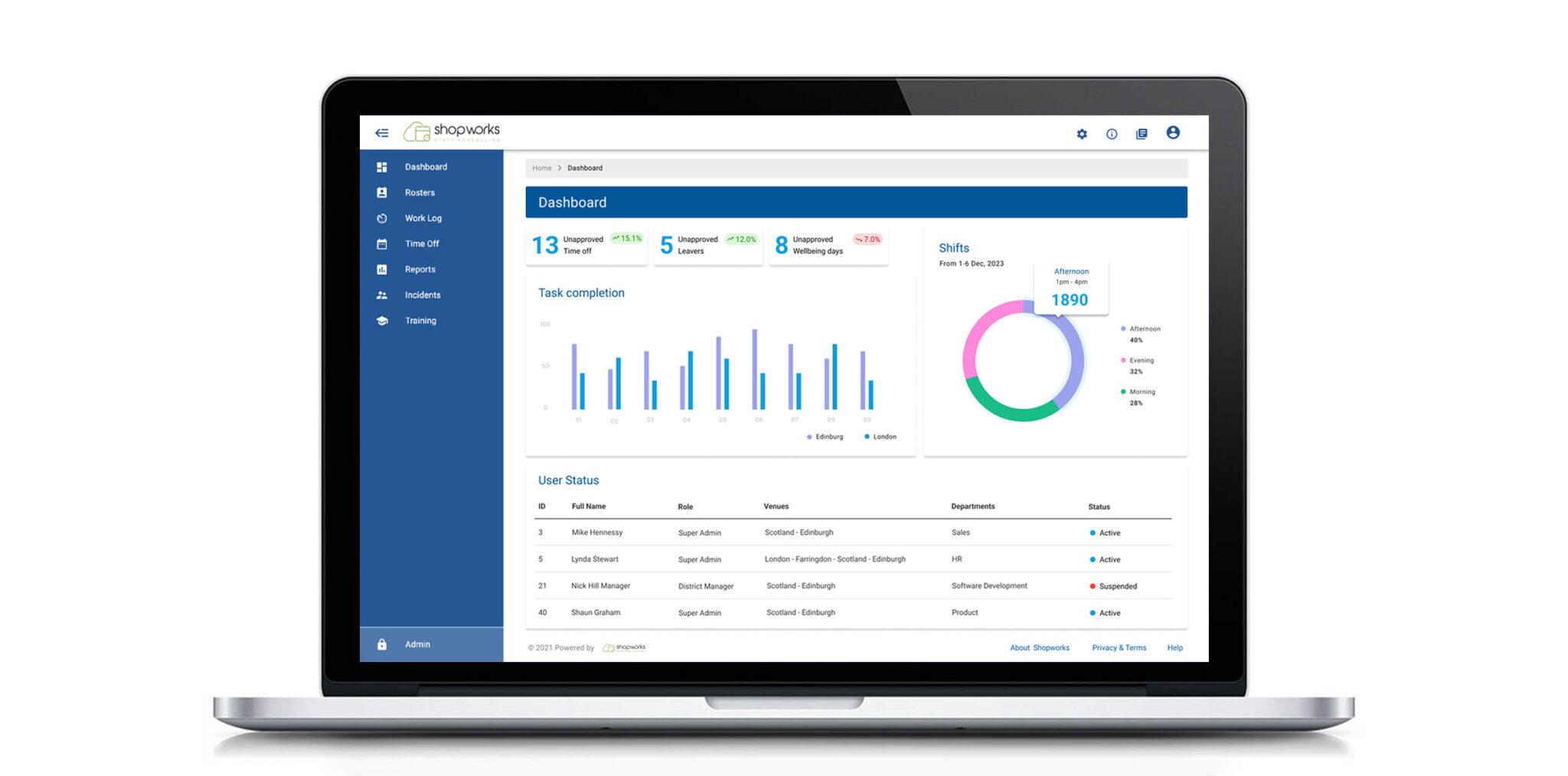
Shopworks pioneers AI-driven workforce solutions for retail, optimizing operations and customer experiences in the SaaS B2B sector. Their innovative software and services streamline workforce planning, scheduling, and task management, revolutionizing retail operations. The goal is to enhance usability by aligning designs with the MUI design principles and ensuring consistency across the entire platform.
In my two years with the product, I’ve significantly enhanced usability by leveraging user feedback. I’ve led projects on management tables, forms, and dashboards, also spearheading the design system and optimizing schedules and big data functionalities.
Client The Shopworks
Tasks Research / User Experience / User Interface / User Testing / Prototyping / Design System
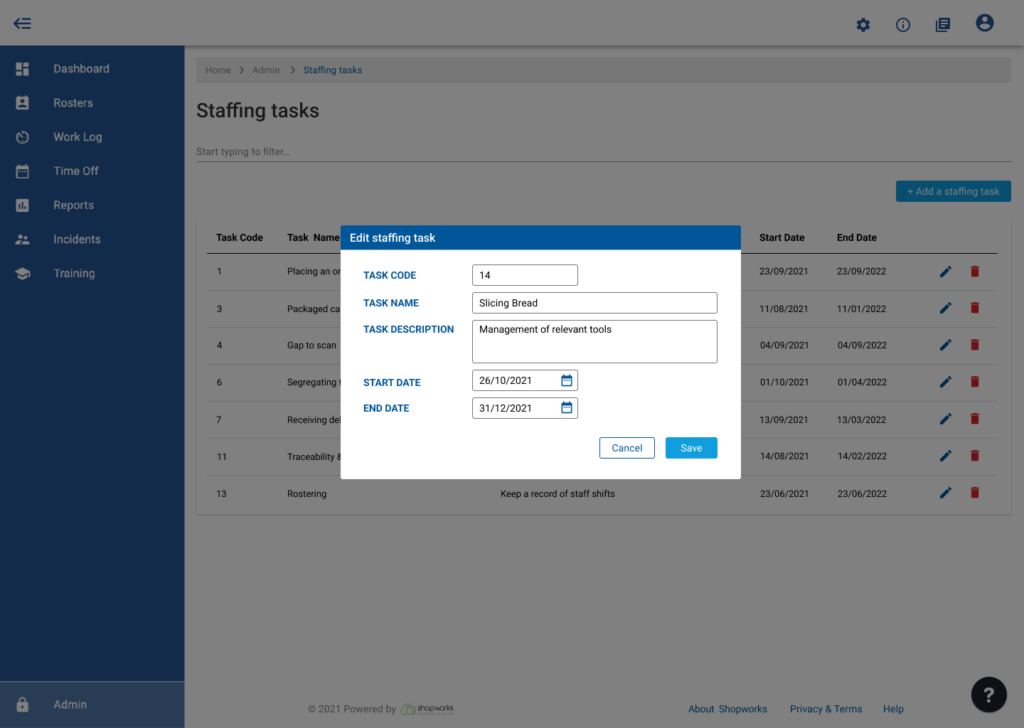
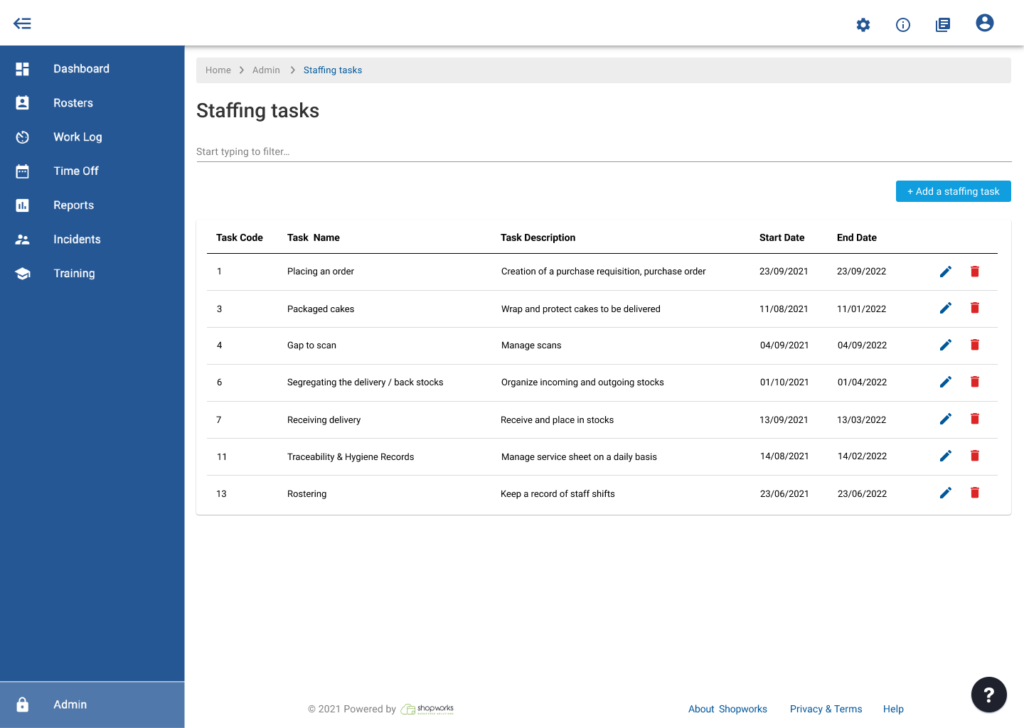
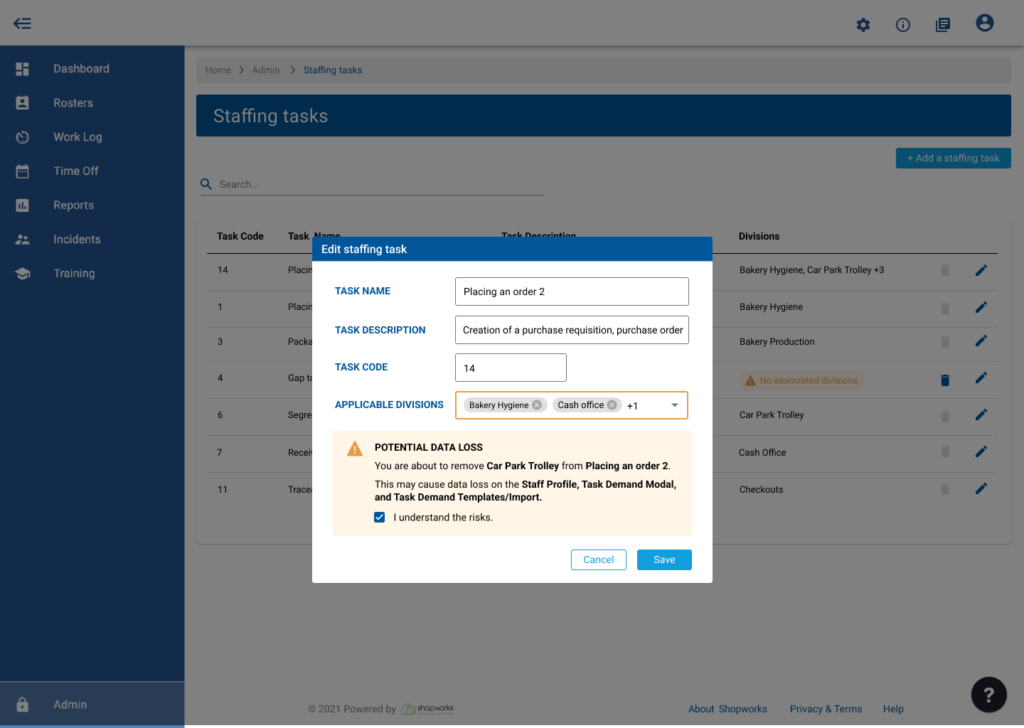
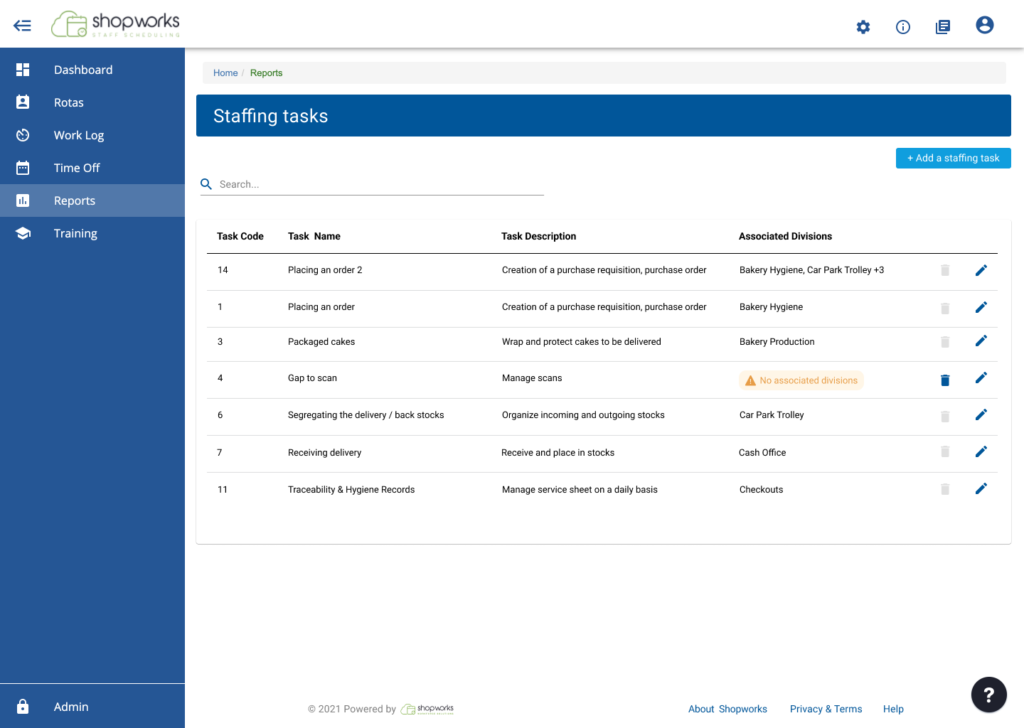
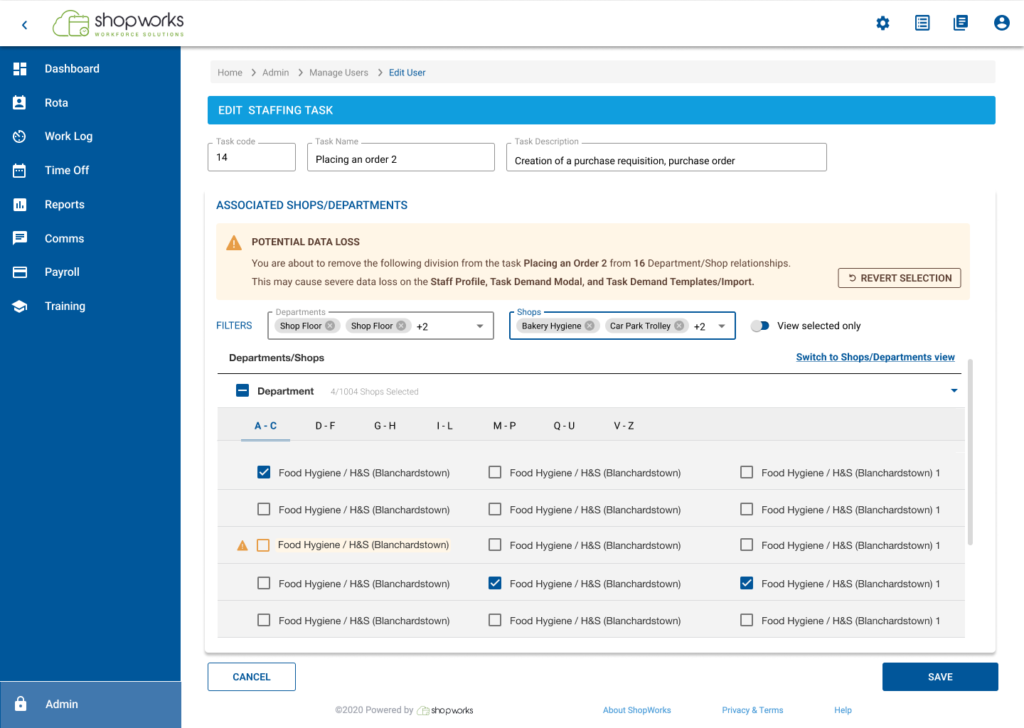
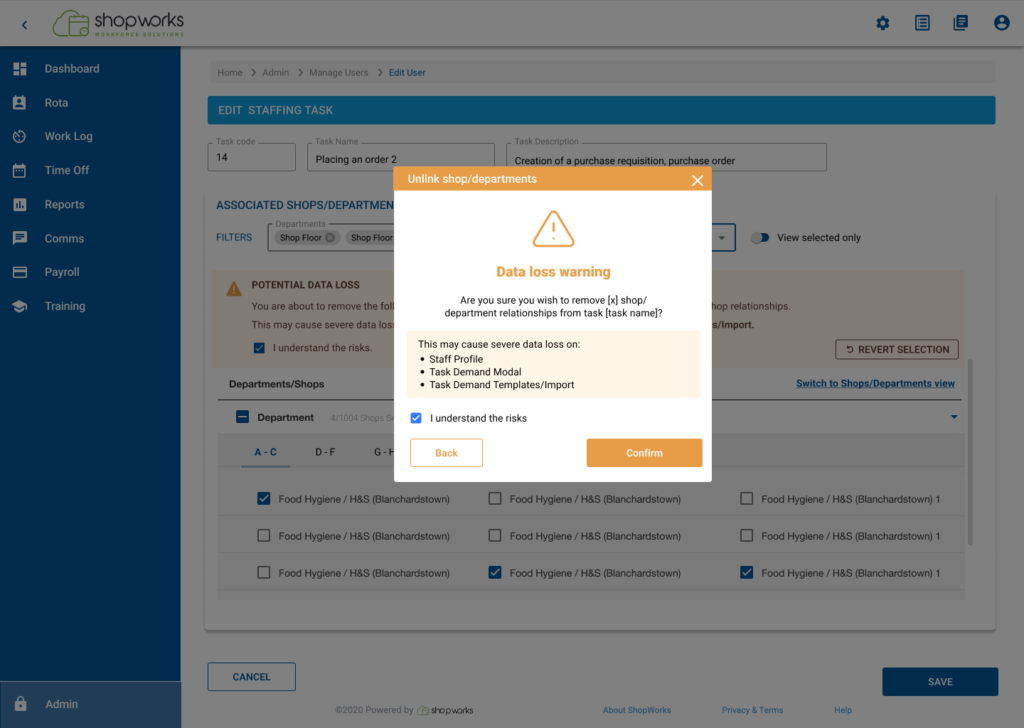
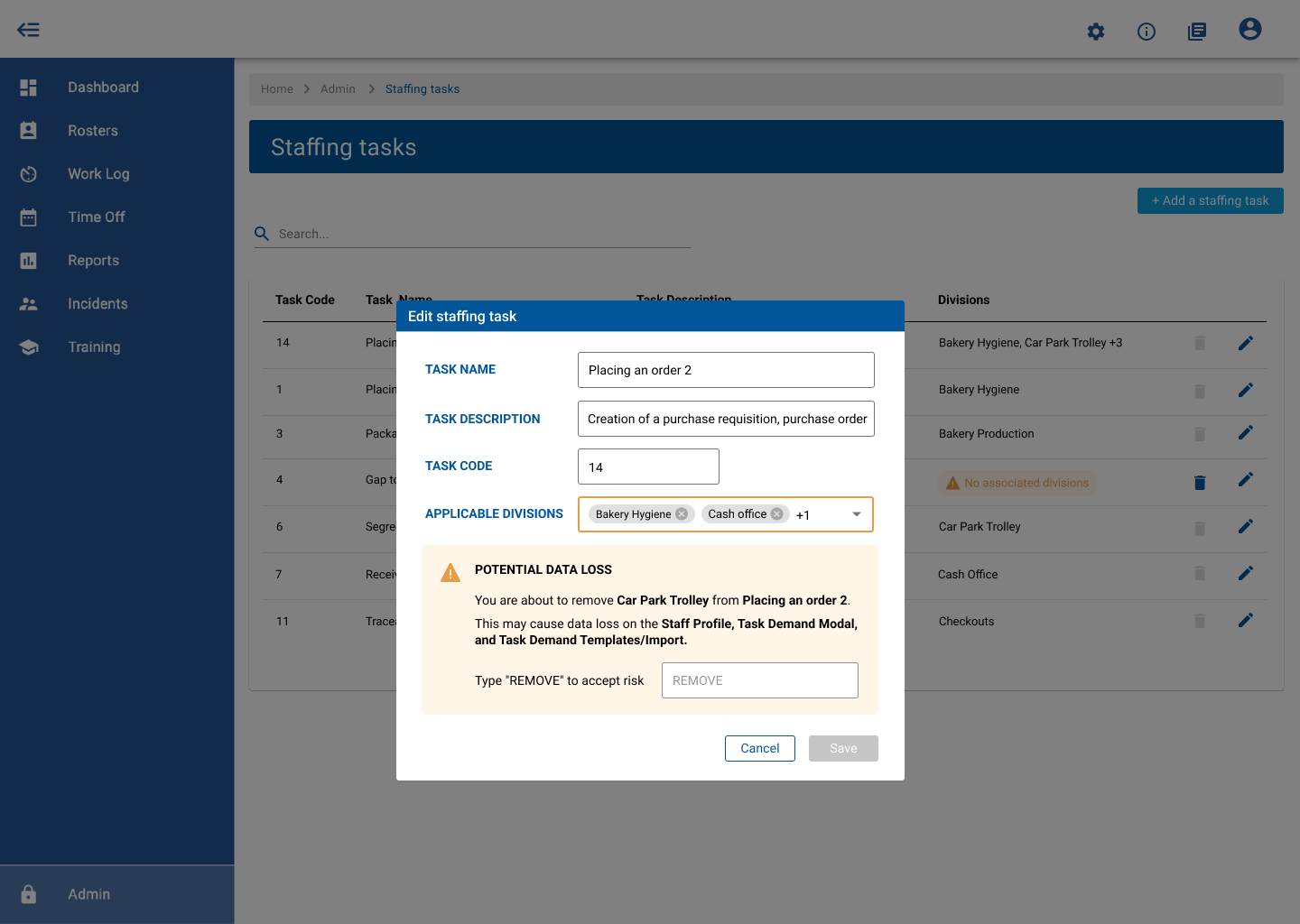
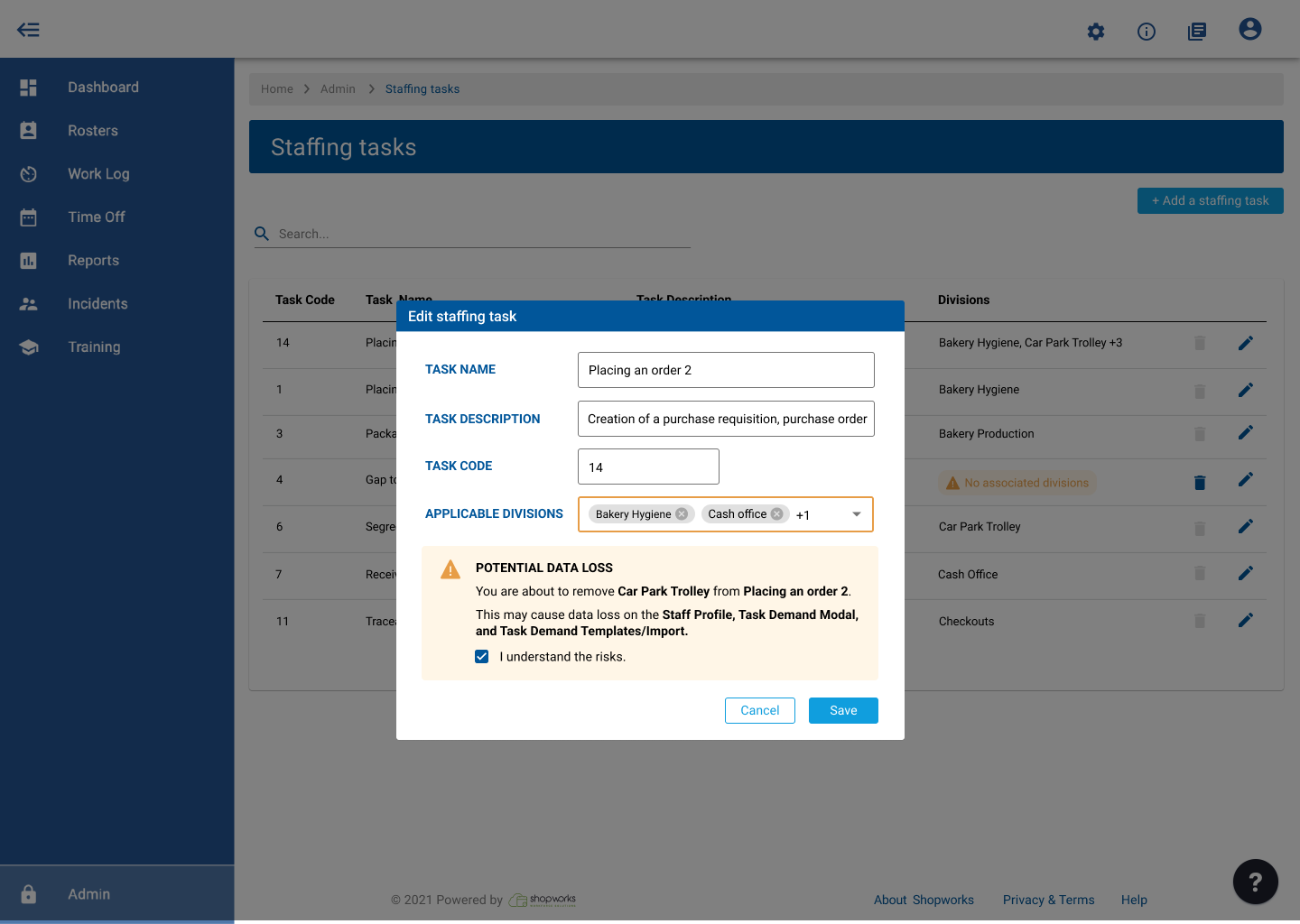
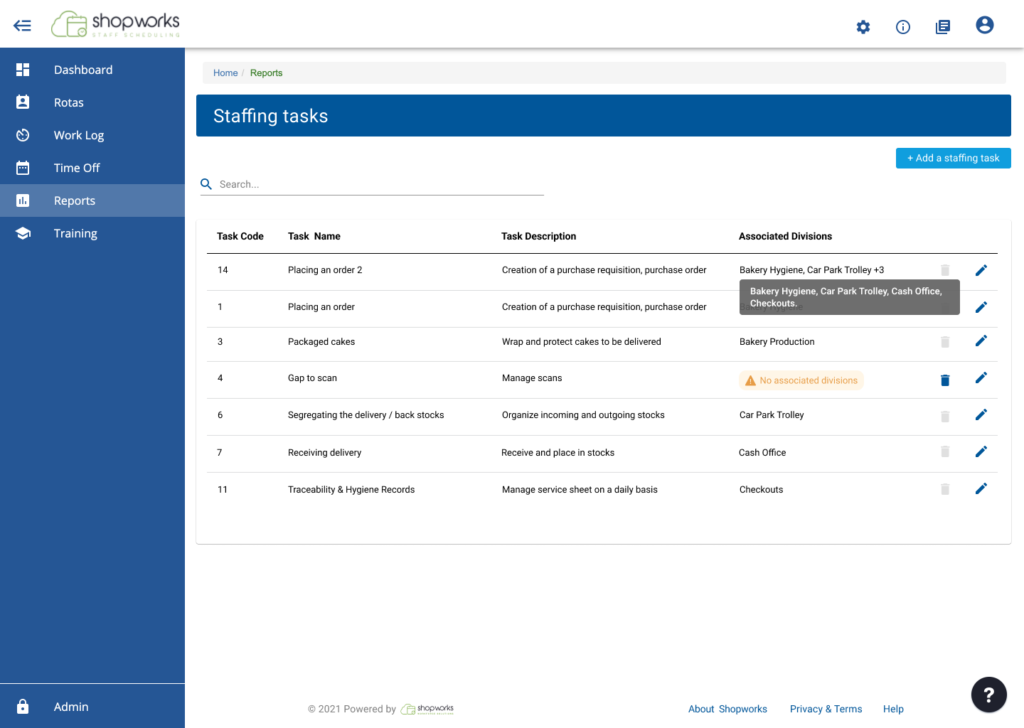
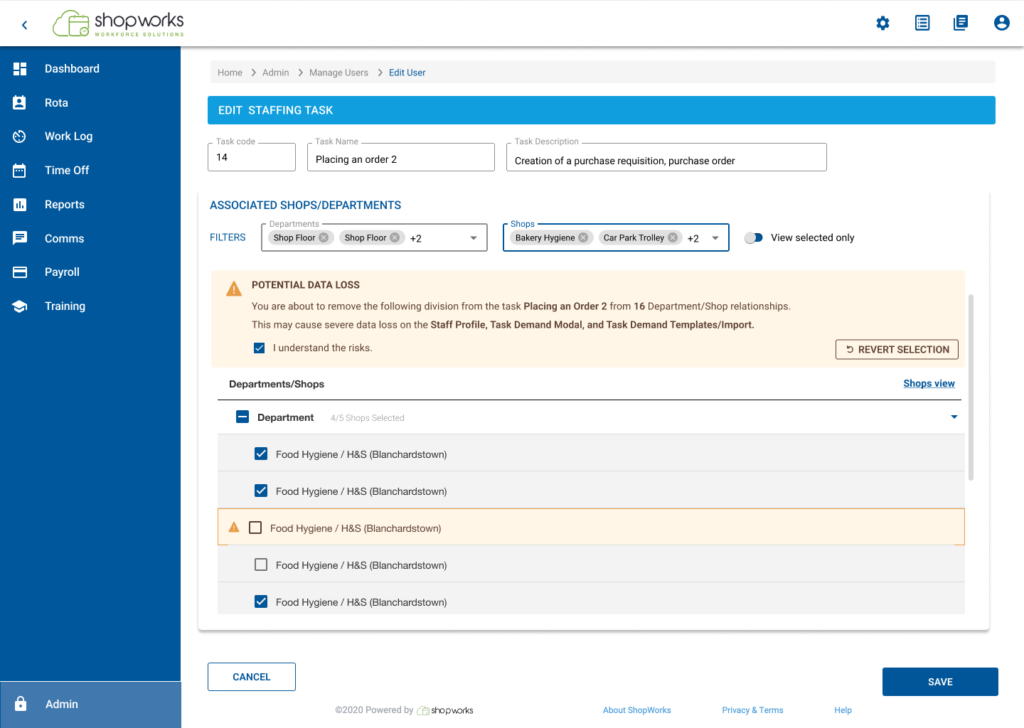
Manage Divisions on staffing tasks
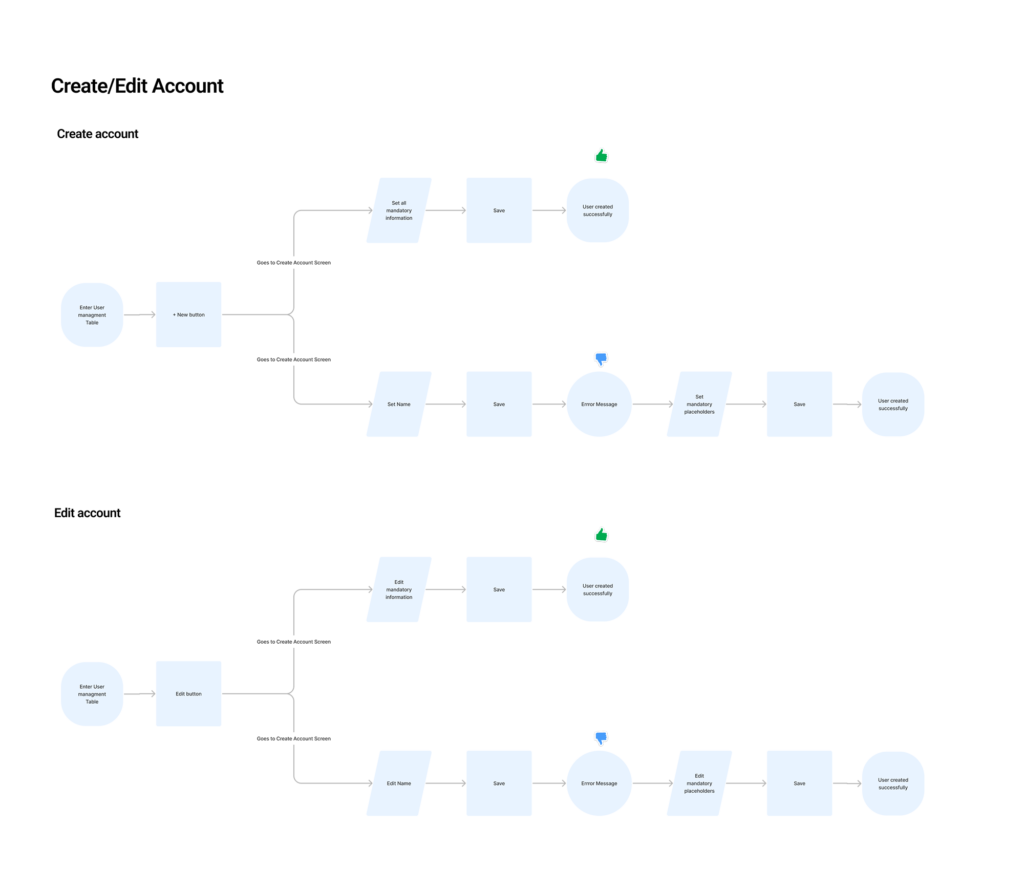
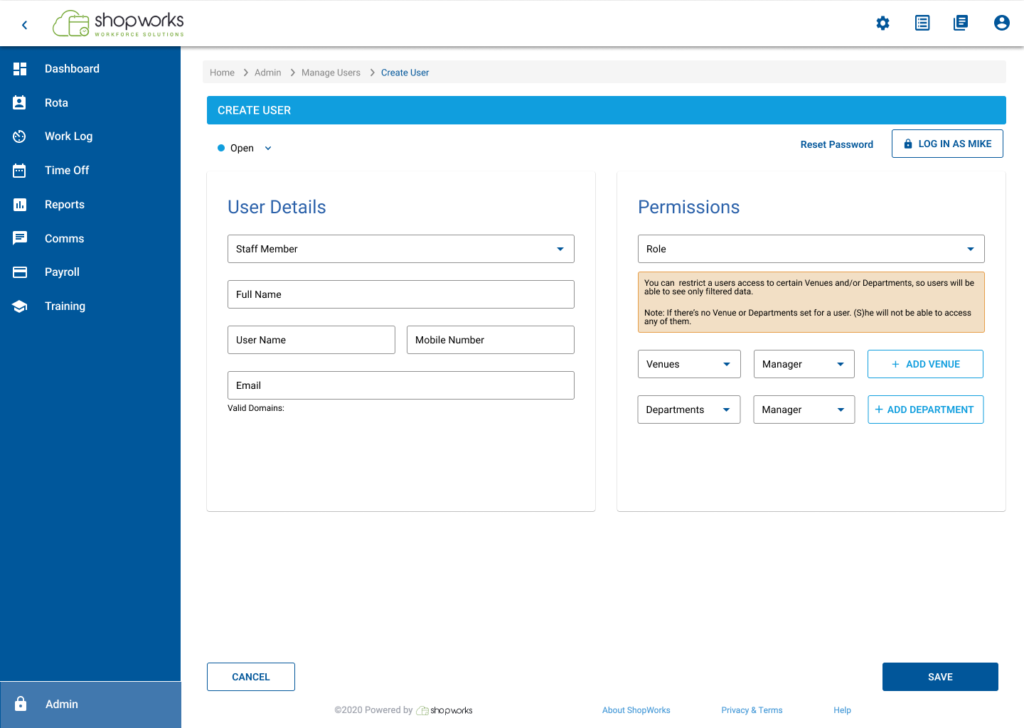
Hiring Manager: Create New Associate Account
This screen empowers hiring managers to effortlessly onboard new associates within the company. Simply provide essential details, and the system will guide you through the user creation process.
The main tasks were to enhance User Management Functionality:
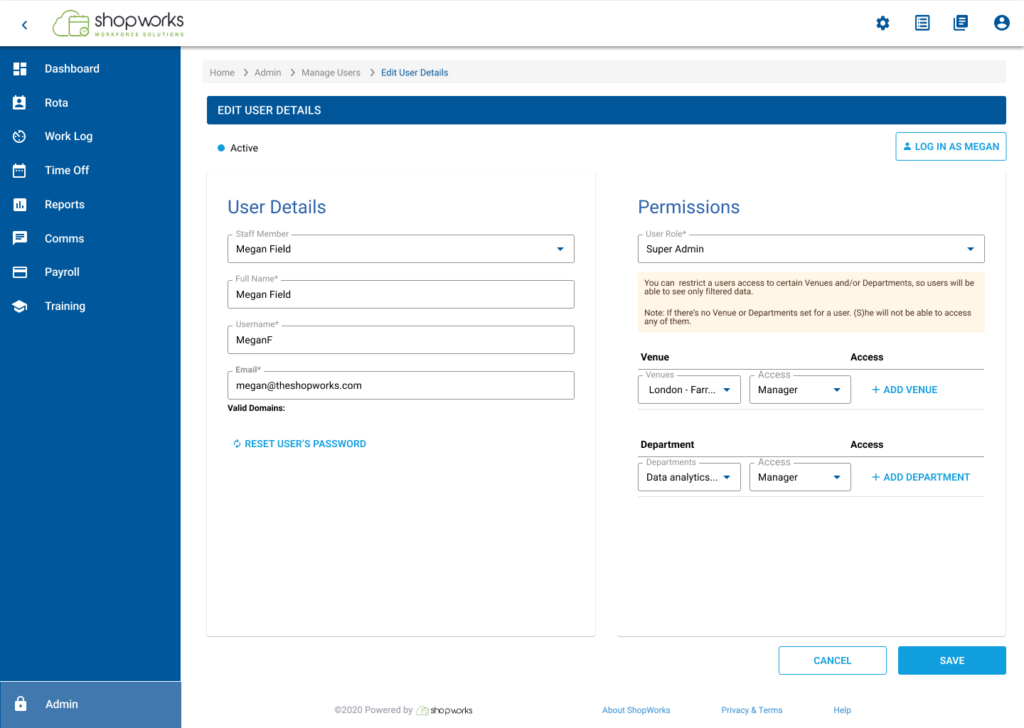
Implement a “Reset Password” Button: This button allows administrators to reset passwords for blocked users, facilitating regaining access to their accounts.
Introduce User Status Indicators: Integrate status indicators to display a user’s current state (e.g., active, blocked, pending activation). This provides immediate insight into user accessibility.
Research
To deepen unerstand the process about how people use the system I:
Held a workshop with different people involved in the project.
Talked to individual users one-on-one.
This helped me understand:
What different user roles there are.
What each user wants to achieve.
What problems they face.
By understanding the users, I could:
Create detailed profiles of typical users (personas).
Figure out what features to focus on first (prioritization).
Make the system easier to use (improve user experience).
Make it easier to upload employee data.
Overall, make the system work better (optimize efficiency).
Analysis of the current Design Issues
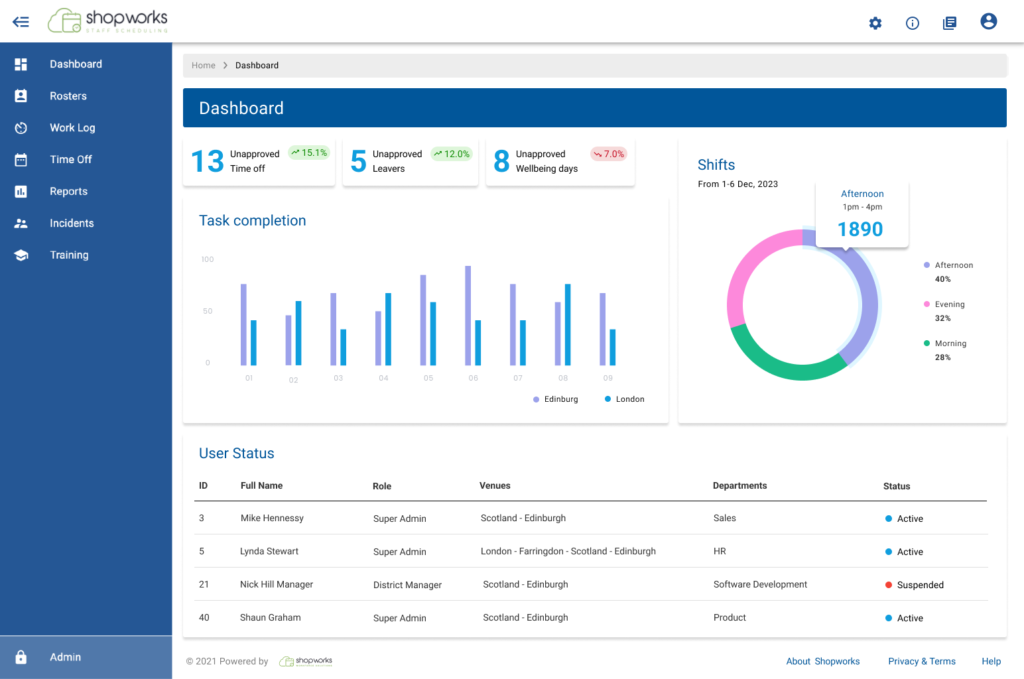
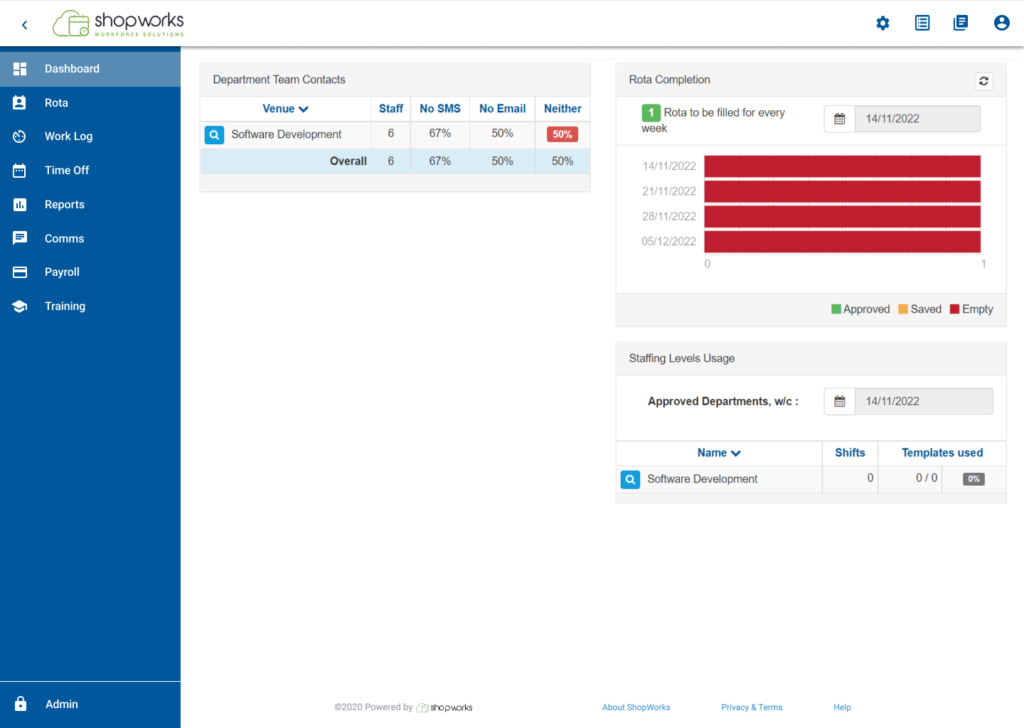
Information Overload: The dashboard presents a lot of information at once, which could be overwhelming for users. It’s unclear what the most important information is for a staff member to see.
Inconsistent Visual Hierarchy: The visual hierarchy of the page is not entirely clear. Elements like “Staff Member” and ” rotas” compete for attention with the username and department information.
Limited Functionality: It’s difficult to determine what actions a staff member can take from this dashboard. Are they able to view their schedule, request time off, or update their profile information?
Aligned the color os the trash, we made them all same color.
Placed the Create button at the top of the screen.
Design
Design
Cambiar de orden el tacho
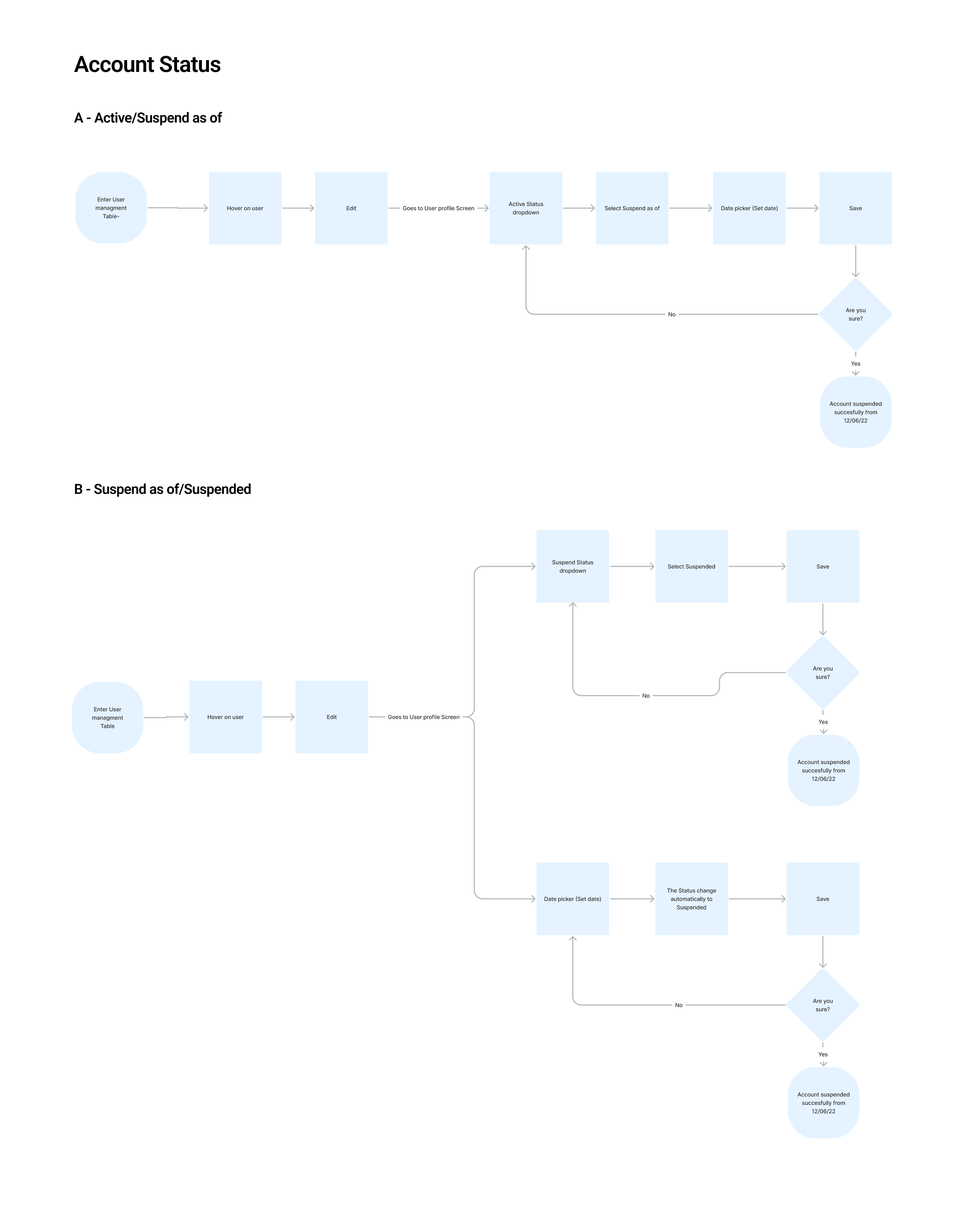
User flows
"Google displays actions on hover in the table, why don't we do the same?"
John Doe
Stakeholder
Insights
User Interface Enhancements
Enhanced User Account Management
Improved Table Interactivity: as mentioned, one stakeholder suggested exploring design options to enhance user interaction with tables. One potential solution was making table actions (e.g., edit, delete) visible only on hover. Usability testing will determine if this approach improves user experience compared to the current design.
Streamlined User Form Design: The complexity of user information fields within the new/edit user form created usability challenges. I’ve redesigned the entire form content, focusing on simplifying data entry and ensuring each field aligns with user needs and the MUI design to bring consistency with the rest of the platform.
Optimized Reset Password Button Placement: Initial testing revealed that placing the reset password button above the user login field was not ideal. Based on these results, we’ve relocated the button below the login field, aiming to improve its discoverability for users with locked accounts.
Prioritized User Status Display: While the initial objective for user status was to differentiate active and suspended accounts, discussions with developers revealed a higher priority for identifying locked accounts. This shift prioritizes functionalities that directly address user account accessibility issues.
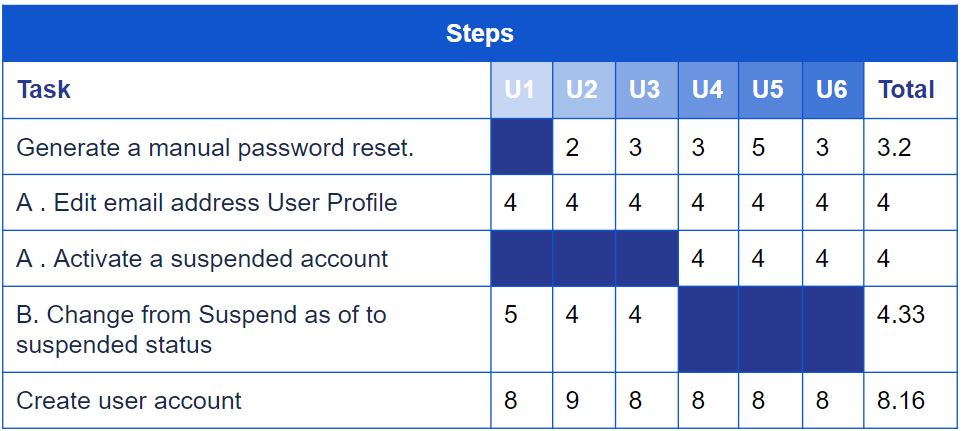
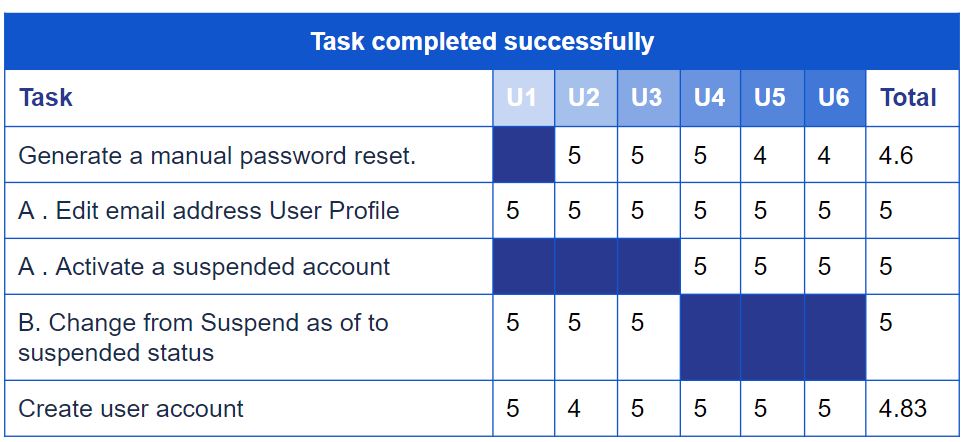
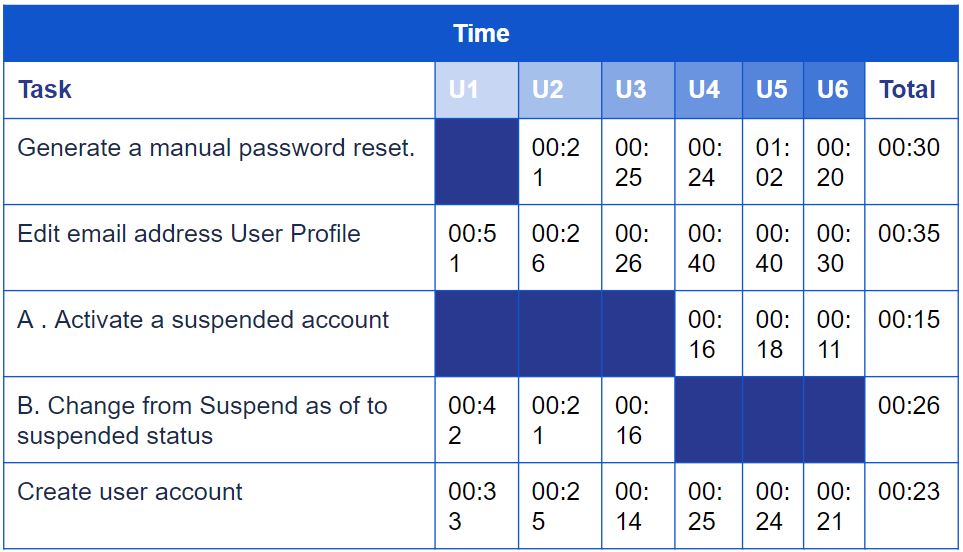
A/B Testing
To validate our decisions, we conducted A/B user testing, providing clarity on the best path forward
Results
User Interface Enhancements
Improved Table Interactivity:
Testing Results: Usability testing likely revealed that making table actions visible only on hover did not improve user experience compared to the current design. Users found it confusing or missed the actions entirely when they weren’t constantly visible.
Next Steps: Since the hover interaction wasn’t implemented, the team decided to stick with the current design for this functionality. If the existing design was functional and users were familiar with it, keeping it might have been the best course of action.
Streamlined User Form Design:
Testing Results: Usability testing showed that the redesigned user form with simplified data entry was more suitable for the user. This suggests the new design was easier to use, led to fewer errors, and potentially improved user satisfaction.
Next Steps: Given the positive testing results, the team decided to:
Implement the new form design: This make the streamlined form available for all users to experience the benefits of simpler data entry.
Enhanced User Account Management
Optimized Reset Password Button Placement:
Testing Results:Testing shown that placing the reset password button below the login field improved user discoverability for those with locked accounts. This lead to a higher success rate for password resets.
Next Steps:
Implement the new placement: to roll out the button placement change for all users.
Refine the design further: adjust the button’s size, color, and label for better visibility based on user feedback.
Prioritized User Status Display:
Positive Results: Testing with the prioritised user status display (focusing on locked accounts) have confirmed a reduction in time for administrators to identify these users. This would streamline account management processes.
Negative Results: Testing have revealed that the new status display wasn’t clear enough or lacked additional information needed for administrators to manage locked accounts efficiently.
Next Steps:
Implement the new status display: they likely make this the default view for user statuses.
Refine the status display: adjust the display format based on user feedback.
Iteration
Before
After
Before
After
Dashboard
Before
After
Atomic Design System
Colors
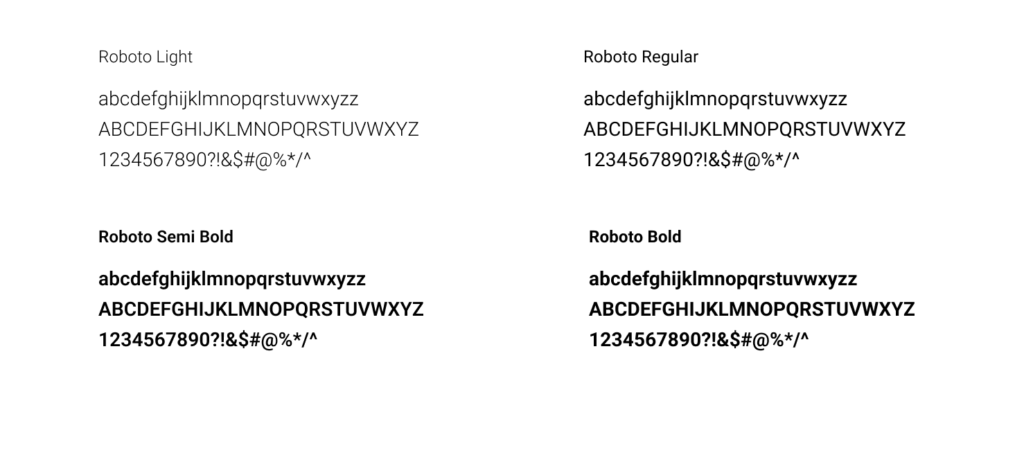
Fonts
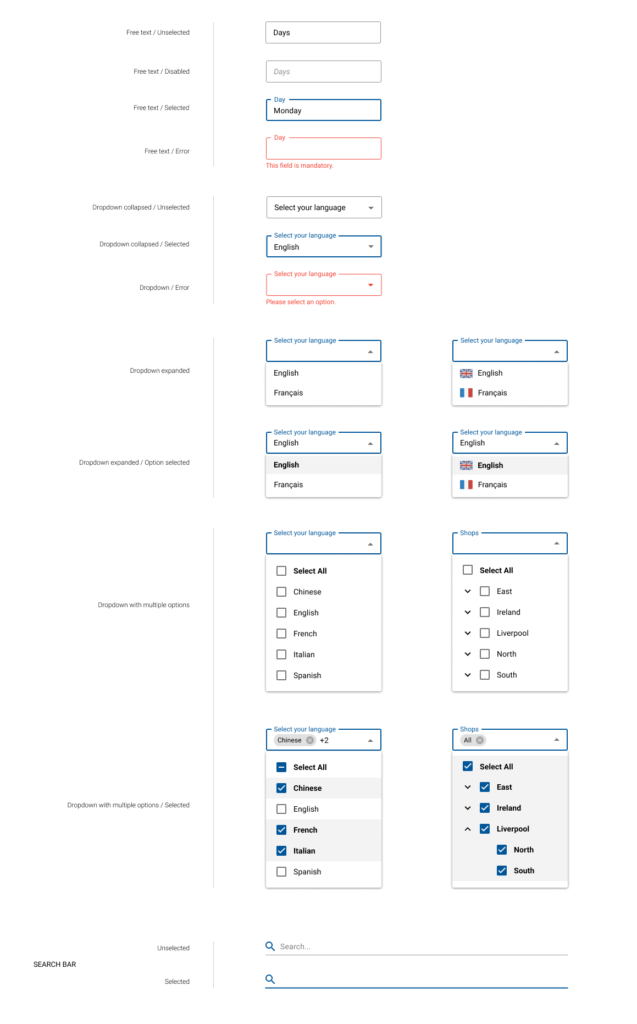
Inputs
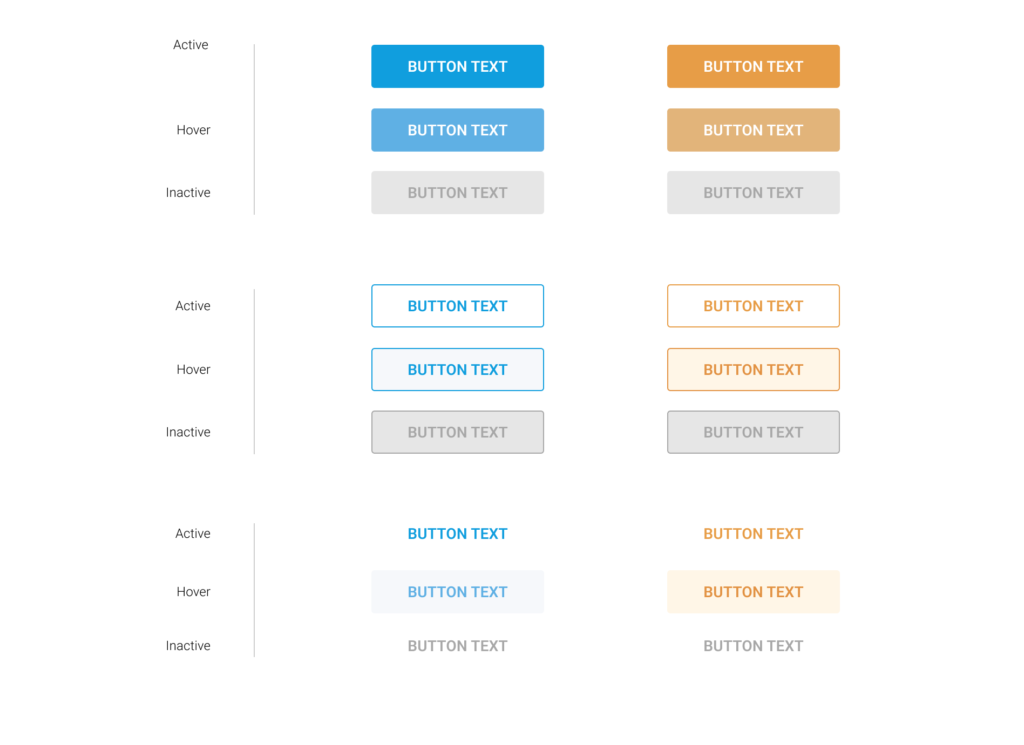
Buttons
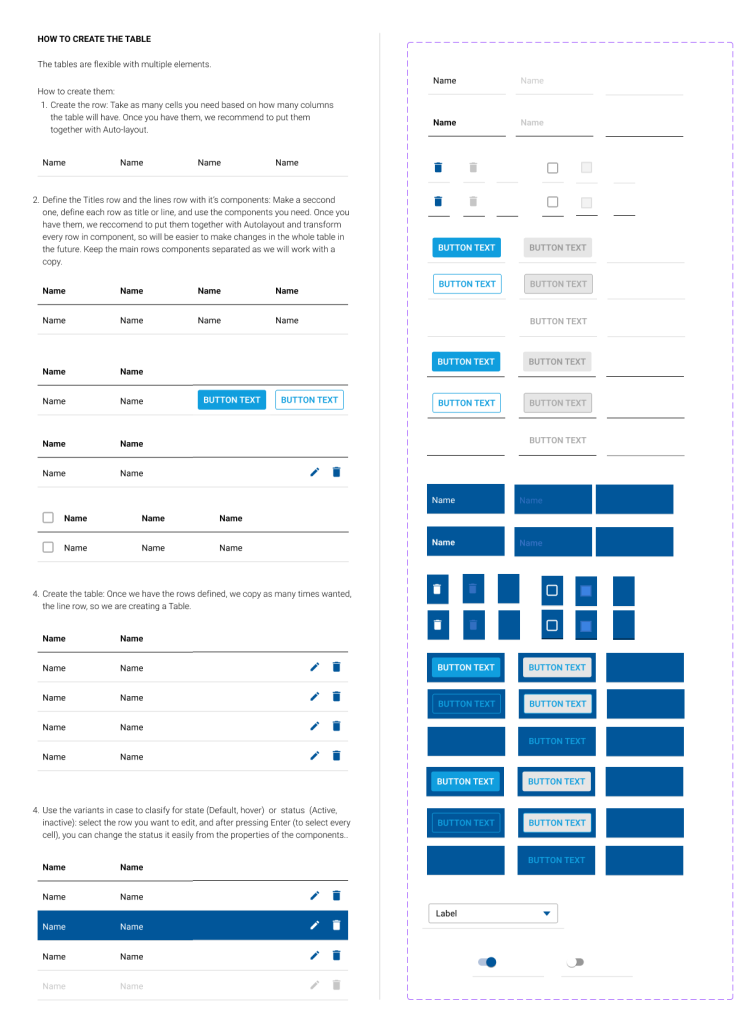
Tables
Key Improvements
Standardised various platform design elements according to Material-UI (MUI) principles, ensuring consistency and coherence, thereby enhancing usability and user experience.
Enhanced the password recovery process to be more user-friendly and intuitive, prioritising simplicity and efficiency to facilitate smoother account access and engagement.
Implemented a status dropdown feature for activating or suspending employers, providing users with enhanced control and efficiency in managing employee statuses.
Created a comprehensive design system from scratch, significantly improving consistency and efficiency throughout the product’s interface, resulting in a more cohesive and user-friendly experience.
Introduced a two-factor authentication (2FA) system, bolstering platform security and providing users with an additional layer of protection for their accounts.
Organised data, tables, and dashboards for clarity, improving user understanding and navigation within the platform.